Kinpal: Building an App with AI Agents – and What Really Takes Time Afterwards

App, alarm server and website for iPhone and Android, built with Claude Code. And then the part hardly anyone plans for: two stores, dozens of forms, reviews and 14 days of mandatory testing at Google.
The idea
A woman from my gym wished for something simple: walking home in the dark, she wanted to look busy. People who are typing or on a call get approached less. And if things do get tense, the people she trusts should know at once, without the other person noticing.
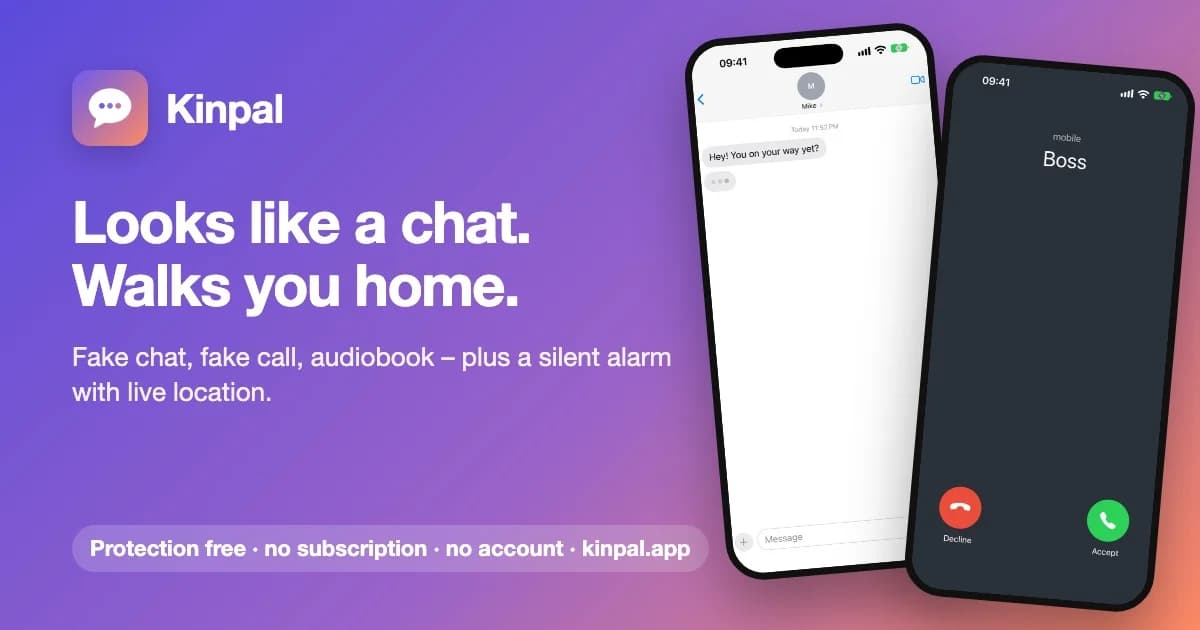
That became Kinpal (kinpal.app):
- Fake chat that types and replies in a human rhythm, with real message sounds, in the look of your own phone (iPhone or Android, light and dark).
- Fake call: you talk freely, speech recognition optionally keeps a diary and listens for a self-chosen signal phrase.
- Rescue call: a delayed incoming call, triggered by a tap, by shaking the phone or by the iPhone Action button.
- Quiet mode: an audiobook-style view for anyone who just wants to be left alone on the train or in a waiting room.
- Silent alarm: when the signal phrase is said, trusted contacts get a push with live location. Contacts without the app get a map link by SMS sent from your own phone.
No account, no ads, no tracking. Diary, walks and recordings stay on the device.
Where the effort goes
The product: concept and market research, the app with all modes, tests on a real iPhone, the alarm server on Cloudflare including an architecture correction, the one-time purchase with country prices, a rename after a trademark check, 15 languages, the website, store texts, screenshots, graphics, a demo video for Google and hunting down a crash that only happened in the Android release build. AI agents wrote most of the code. The decisions, the research and the testing on real devices they did not take off our hands.
Everything else: as of today, iOS version 1.0 and the in-app purchase are in Apple's review, the public TestFlight link is waiting for beta review, and on Google Play a closed test with 45 testers is running that has to last at least 14 days. No agent makes that time shorter.
That is the real lesson of this project: building is only one part. At least as hard are the stores: forms, declarations, reviews, deadlines and the steps only a human is allowed to do.
That's why this part comes first.
The real effort: getting into the stores
If you've never published an app, you underestimate this. Here is the complete list of what Kinpal needed. Not a guide for every app, but an honest inventory.
Apple: App Store and TestFlight
- Developer account in the Apple Developer Program ($99 a year), plus agreements, tax and banking details as soon as anything is for sale.
- App record in App Store Connect with a bundle id.
- Signing. Our team API key is not allowed to use Apple-managed certificates. So: find a locally installed distribution certificate (the first one we found had expired), create an App Store profile for it via the API, export, upload.
- Purpose strings for every permission. Kinpal needs eight: microphone, speech recognition, location (two levels), motion, camera and photo library twice. The photo library wasn't on our list; an Expo module references it. The upload failed silently: the API shows no build, only the web UI shows the error.
- Store texts in 16 store languages: name, subtitle, description, keywords, promotional text, support and marketing URL. Each field has a character limit, which a script checks before uploading.
- Wording. No third-party brands, no "prank", no "number one" claims. Apple rejects joke apps (guideline 1.1.6), and there are metadata rules on top.
- Screenshots in the 6.9-inch iPhone format, 1320 × 2868 pixels, per language.
- Category, age rating, content rights.
- Review contact and review notes. Important for Kinpal: making clear that the app notifies trusted contacts and is not an emergency service (guideline 5.1.5), and that the messenger look is our own (4.1, no copycats).
- Price: app free, plus creating the in-app purchase with hand-set country prices.
- Review screenshot for the in-app purchase. It has to be a real device format. A cropped image sits on "missing metadata" without any error message.
- App privacy ("nutrition labels"): location, name, device id, each with purpose, linkage, tracking. Not available via the API, browser only.
- What was still missing at submission. Apple doesn't report blockers as a list; they're buried in an error response. For us: the DAC7 declaration, app data usage and the copyright field.
- The first in-app purchase can only go into review together with an app version, and that link can only be made in the web UI.
- Public TestFlight: external tester group, public link, beta texts, review contact, and then a separate beta review before the link works.
- Push key (APNs) valid for sandbox and production. Ours was sandbox-only; Expo reported
TopicDisallowed. New key, upload again.
Google: Play Console
- Developer account with identity and payment profile verification. That runs on Google's side, not ours.
- Release bundle (AAB), signed. And launch it on a real device first: our first release crashed immediately because R8 had removed a class that WorkManager loads via reflection. The build was green, debug ran fine. Fix: two keep rules via
expo-build-properties. - Store listing: texts, icon 512 × 512, feature graphic 1024 × 500, screenshots.
- App content, one form after another: privacy policy URL, ads, app access, government app, financial features, health, advertising id, target audience (for us 16–17 and 18+).
- Data safety: declare location, name and push token, each with purpose, required or optional, encrypted yes/no. Plus a data deletion page that didn't exist before. Important: sending data to contacts the user picks counts at Google as a user-initiated transfer, not as "sharing".
- Age rating via the IARC questionnaire. You have to accept the IARC terms first. That's a click a human has to make.
- Cleaning up permissions. Expo modules bring permissions you don't need, which Google reviews anyway. We explicitly blocked overlay, storage access, activity recognition and background location.
- Foreground service declaration, with a video. Kinpal records the walk home in a location foreground service. Google wants a justification and a video showing the feature in the app. We shot the video and uploaded it.
- Push on Android: Firebase project, config file in the app, FCM key uploaded to Expo.
- In-app purchase set up, and license testers added before you buy yourself. Otherwise it's a real order. That's exactly what happened to us; we refunded it.
- Closed test: 12 people, 14 consecutive days. More on that below.
- Production access application after the 14 days, with a summary of tester feedback. Whether it goes through is Google's call.
That's 28 items, not counting the code. Almost any of them can hold up a submission.
Google's testing requirement
New personal developer accounts on Google Play can't simply publish. First, a closed test with at least 12 people has to run, and they have to stay opted in for 14 consecutive days. Only then can you apply for production access.
Twelve people with Android phones who keep an app installed for two weeks don't just appear. We solved it via Fiverr and wrote a short brief for it. What's in it, and why:
- Sellers with hundreds of completed orders and a rating of 4.8 or more. A tester who drops out after three days helps nobody.
- Order 20 instead of 12. A buffer in case someone leaves. Right now 45 are in.
- Only order once Google has approved the closed test. Before that there is no invite link, and the days don't count.
- Real devices, real use. Testers should open the app several times during the 14 days: chat, call, recording the walk home, quiet mode, registering as a trusted contact.
- Short written feedback per person. You need it for the production access application.
- No real alarms to strangers, no fake reviews. Stated explicitly.
- Don't believe any guarantee. Google decides on its own.
The flow afterwards: add the testers' Gmail addresses to the tester list, send the invite link ("Join on the web") to the seller, wait 14 days, apply for production. For Android users outside Fiverr, the website says: email your Google account address and you'll get the invite.
Those two weeks are fixed. You can't speed them up, only start them early enough.
What the agent takes over here, and what it doesn't
Worth a closer look, because the agent did a lot in the store part too, just differently.
The agent writes tools. For Apple the project now has scripts for metadata, screenshots, review settings, the in-app purchase with country prices, TestFlight and a check of store texts against the limits. All via the App Store Connect API, all reusable for the next app.
The agent writes fill-in sheets. Where there's no API, i.e. the Play Console, the IARC questionnaire and Apple's privacy details, the agent wrote a file: which field, which box, which justification. I click; the agent has read beforehand what the policy requires.
The agent finds the hidden blockers. Such as the reasons Apple buries in an error response, or the R8 crash in the log.
The agent cannot:
- accept terms (IARC, store agreements)
- verify accounts and payment profiles
- solve CAPTCHAs and confirm two-factor sign-ins
- set DNS at the registrar
- record a demo video on a real phone
- find and pay testers
- wait for Apple and Google
The stack
App: Expo SDK 58
- Expo SDK 58 with React Native 0.88 and React 19.3, Expo Router with typed routes, the React Compiler switched on.
- i18next with 15 languages: English, German, Spanish, Portuguese, French, Italian, Turkish, Polish, Arabic (right to left), Hindi, Bengali, Indonesian, Vietnamese, Swahili, Chinese.
- Native building blocks almost entirely from the Expo toolbox:
expo-speech-recognitionfor diary and signal phrase,expo-locationfor the walk home and the alarm,expo-camerafor emergency mode,expo-sqlitefor local data,expo-notificationsfor push,expo-app-intentsfor the Action button,expo-quick-actions,expo-iapfor the purchase. - No Expo Go: because of the native modules it was a development build from day one.
A warning about Expo and AI: Expo changes APIs with every SDK release. An agent writing from memory writes outdated code. That's why the very top of our AGENTS.md says: read the docs for the matching SDK version first, then code. That prevented more bugs than any later fix.
Alarm server: one Cloudflare Worker
The server is a single Worker that relays alarms. It knows only two things:
- Receivers in KV storage: an unguessable id, a display name and a push token. Anyone who doesn't open the app for a year disappears automatically.
- Running alarms, each its own Durable Object with SQLite and a WebSocket for the live map. An alarm deletes itself after 48 hours.
Push goes through Expo's push service to APNs and FCM. The app then checks the delivery receipts and shows how many contacts were actually reached. Contacts without the app get a live map page.
Cloudflare rate limits guard against abuse: 30 new alarms or receivers per minute and IP, 120 positions per minute and alarm. Generous on purpose, because many people share one IP on mobile networks. If the server refuses, the app falls back to SMS.
The most important architecture correction came from research, not from code. The first draft stored live positions in KV. Checking Cloudflare's docs showed: KV allows one write per second per key, reads can be up to 60 seconds stale, and the free plan stops after 1,000 writes a day. Useless for an emergency alarm. So: one Durable Object per alarm and the Workers Paid plan at $5 a month. The rebuild itself was code. Asking the right question was the actual work.
Website: static HTML as Worker assets
kinpal.app is plain HTML and CSS, served as assets of a Worker with its own domain; www redirects to the apex. Plus:
- an
llms.txtthat explains to language models in plain text what the app does, what it costs and what it doesn't do (for example: it is not a monitored emergency service), - FAQ as JSON-LD for search engines,
- a sitemap, registration in Google Search Console and IndexNow.
No framework, no build step. For a product page, that's enough.
Pricing
- Everything that protects in an emergency is free: emergency mode, signal-phrase alarm, rescue call, live location, trusted contacts. For receivers the app is always free.
- A single one-time purchase "full version" for the extras: €2.99 in Germany. No subscription, no ads.
- Country prices set by hand. The stores' automatic prices follow exchange rates, not purchasing power: the $2.99 tier costs ₹299 in India. So we use the $0.99 tier for middle-income countries and the $0.49 tier for low-income countries. A script creates the product and prices via the App Store Connect API.
A paid download was out of the question. Every user brings her trusted contacts into the app, and that only works if the download is free.
The name
The app was first called "Beschäftigt" ("busy"), then "Sawa". Before the store launch we ran a trademark check: the German patent office has "S SAWA" registered for app software and security services, plus more hits abroad. So we renamed it to Kinpal: no trademark found in the relevant classes, and kinpal.app was free. Name, texts, graphics and store listings in every language had to follow. Without the check it would have happened after launch, and then it gets expensive.
What to watch out for
- Plan for the store effort, not the code. The list above is longer than the app's feature list.
- Start Google's 14 days right away. Get the closed test approved as early as possible and order testers; everything else can run in parallel.
- Settle permissions and purpose strings before the first build. Every unneeded permission is one more form.
- Test release builds on a device. Debug and release behave differently.
- Read store rules before positioning. Whether an app presents itself as a "prank" or a "safety aid" decides the review.
- Research before architecture. The most expensive correction (KV vs. Durable Objects) would otherwise have hit in a real emergency.
- Versioned docs, not memory. Mandatory with Expo.
- Trademark check before launch. A name is chosen quickly and changed expensively.
The stack at a glance
App:         Expo SDK 58, React Native 0.88, React 19.3, React Compiler
Routing:     Expo Router (typed routes)
Languages:   i18next, 15 languages incl. Arabic (RTL)
Purchase:    expo-iap, one-time purchase, country prices set by hand
Server:      Cloudflare Worker, Durable Objects (per alarm), KV (receivers), rate limits
Push:        Expo Push -> APNs / FCM, with delivery receipts
Website:     static HTML as Worker assets, llms.txt, FAQ JSON-LD
Stores:      App Store Connect API scripts, fill-in sheets for the Play Console
Development: Claude Code
Conclusion
AI agents shift where the work is. Code gets written faster than before, but an app for two platforms is more than code: architecture, research, legal questions, testing on devices. The other half is 28 store steps, a 14-day testing requirement, reviews and clicks only a human may make. Plan for that and you won't be disappointed. Don't, and you'll be sitting on a finished app in front of a two-week deadline.
Kinpal is in testing. Want to join? On iPhone there's TestFlight; for Android, send a short email to [email protected] with your Google account address.
Tags:
AIClaudeExpoCloudflareAppStoreGooglePlayBuildingInPublic
Ulrich Diedrichsen
Software architect & product builder
Professional software work since my computer science studies. Ex-IBM, ex-PwC. Now building products with AI in Hamburg.